



The long-awaited MMORPG AION2 by NCSOFT is finally on the horizon! Many players are now asking the big question — “Can my PC run AION2 smoothly?”
This post covers the official minimum and recommended system requirements for both PC and mobile versions, along with upgrade tips and optimization advice.
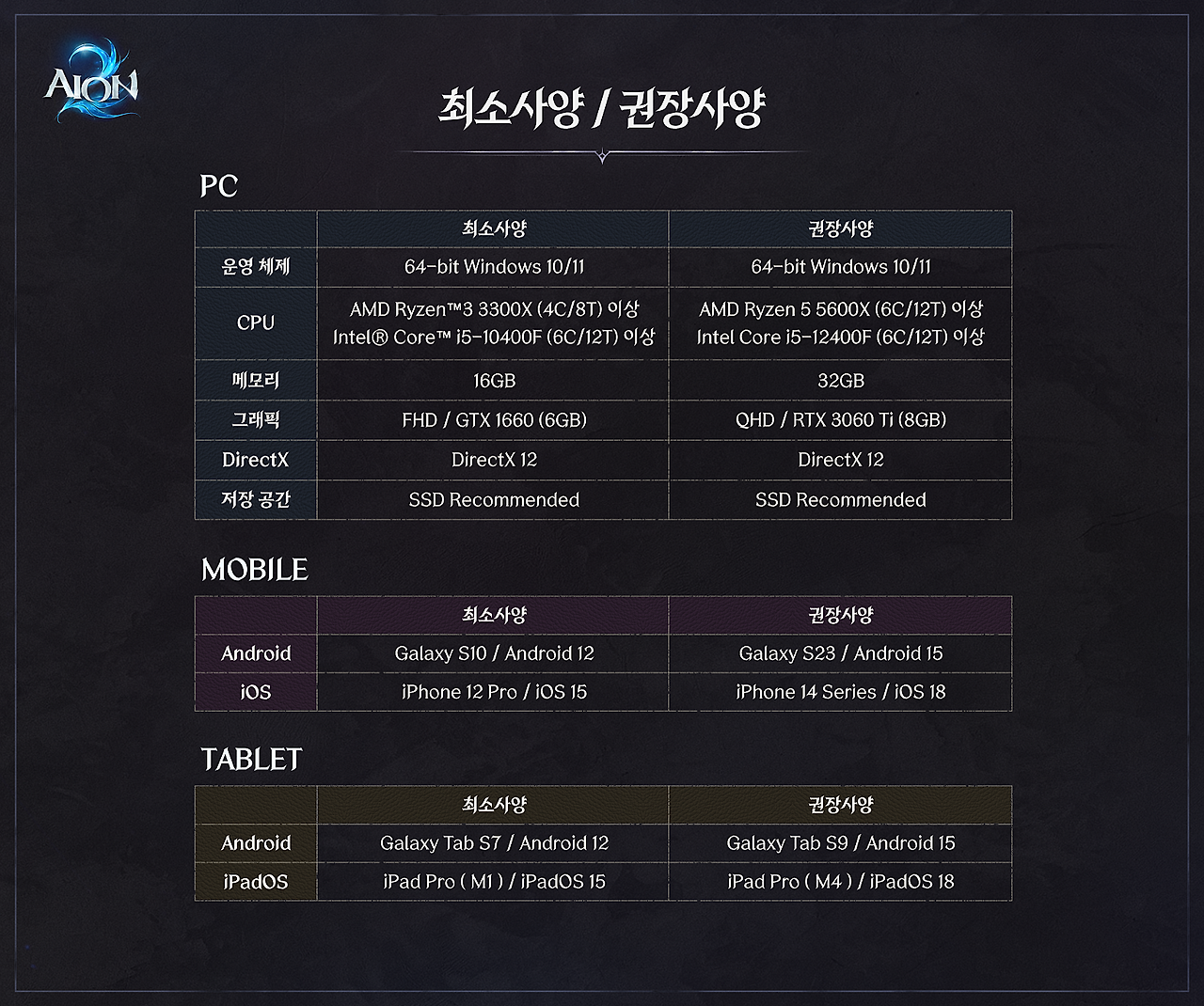
🎮 AION2 PC Minimum / Recommended Specs
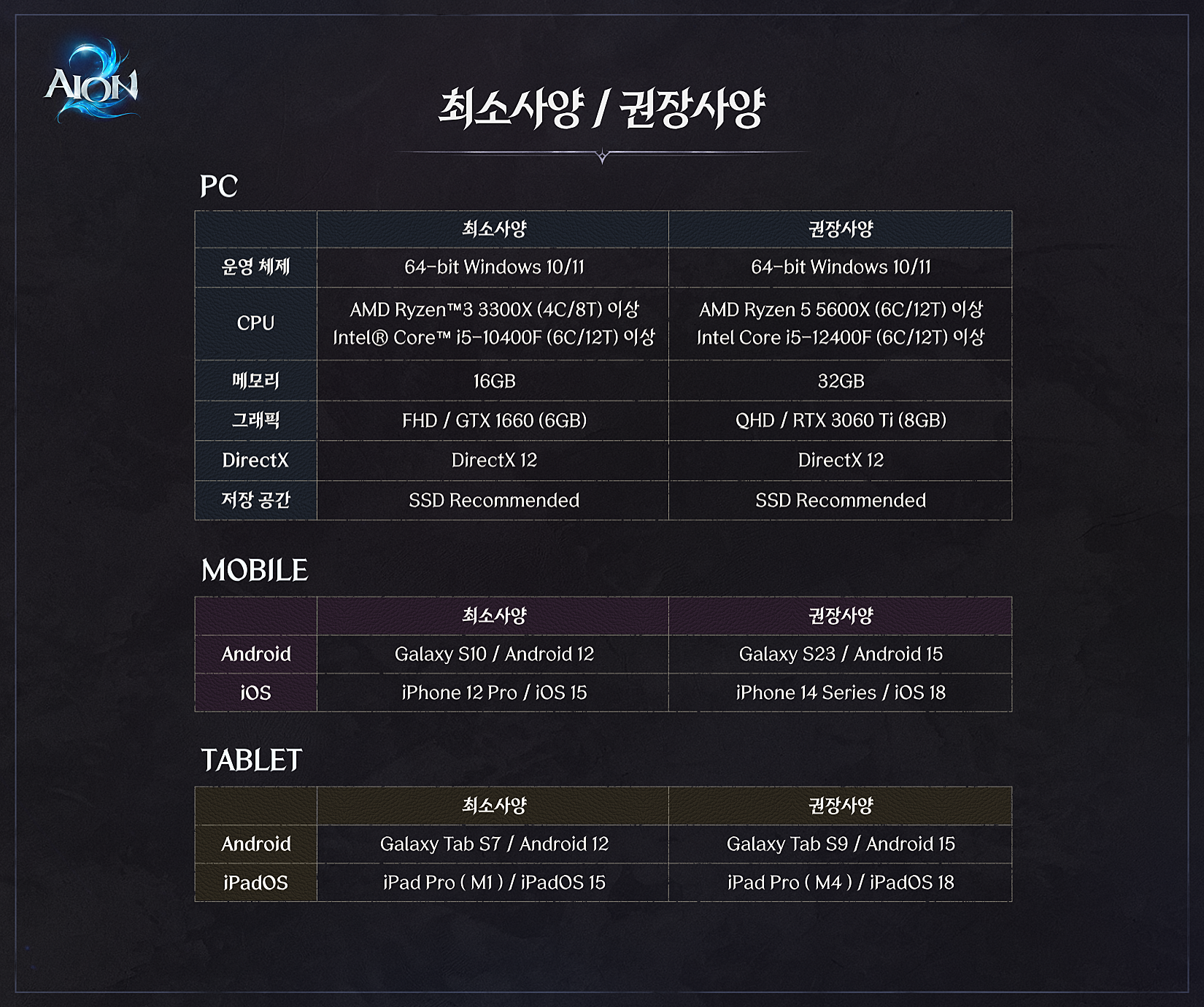
| Category | Minimum Specs | Recommended Specs |
|---|---|---|
| Operating System (OS) | 64-bit Windows 10 / 11 | 64-bit Windows 10 / 11 |
| CPU | AMD Ryzen™ 3 3300X (4C/8T) or higher Intel® Core™ i5-10400F (6C/12T) or higher |
AMD Ryzen 5 5600X (6C/12T) or higher Intel Core i5-12400F (6C/12T) or higher |
| Memory (RAM) | 16GB | 32GB |
| Graphics Card (GPU) | FHD / NVIDIA GTX 1660 (6GB) | QHD / NVIDIA RTX 3060 Ti (8GB) |
| DirectX | DirectX 12 | DirectX 12 |
| Storage | SSD Recommended | SSD Recommended |
💡 Tip: While the game can run on minimum specs, the recommended setup ensures smoother gameplay and higher graphical fidelity, especially during large-scale battles.
📱 AION2 Mobile Minimum / Recommended Specs
Mobile devices must have at least 6GB of memory to run AION 2 properly.
| Platform | Minimum Specs | Recommended Specs |
|---|---|---|
| Android | Galaxy S10 / Android 12 | Galaxy S23 / Android 15 |
| iOS | iPhone 12 Pro / iOS 15 | iPhone 14 Series / iOS 17 or later |
💻 How to Check If Your PC Can Run AION2
- Check CPU & RAM: Open Task Manager → Performance tab → Check CPU name and memory capacity.
- Check GPU: Ensure your GPU is GTX 1660 or higher; for QHD gameplay, RTX 3060 Ti or above is ideal.
- Storage: Use an SSD with at least 50GB of free space for best performance.
- Operating System: Make sure you’re using Windows 10 or 11 (64-bit).
📌 For FHD (1080p) displays, the GTX 1660 should suffice. For QHD (1440p) or ultra settings, an RTX 3060 Ti or better is strongly recommended.
⚙️ Upgrade & Optimization Tips
- RAM: Upgrading from 16GB → 32GB significantly improves stability and load times.
- GPU: RTX 3060 Ti or newer GPUs offer future-proof performance for upcoming titles.
- SSD: Switching to an NVMe SSD reduces load times dramatically.
- Drivers: Always keep your GPU and Windows updated for optimal performance.
❓ Frequently Asked Questions (FAQ)
Q. Can I play AION2 on a laptop?
A. Yes, but expect lower performance compared to desktops due to thermal and GPU limitations. Adjust your graphics settings accordingly.
Q. Is SSD mandatory?
A. It’s not mandatory, but highly recommended. SSDs drastically shorten load times and prevent in-game stutter.
Q. Is 16GB RAM enough?
A. It’s possible, but 32GB offers smoother gameplay during large PvP or high-density zones.
📸 Reference Sources
- Official Broadcast: AION2 Official Stream
- Game News: Inven